JSON Web Key
⚡ 3 min readGenerate JSON Web Keys (JWK) for backend server-side JWT verification with ES256 algorithm
What the JSON Web Key Panel Does
Automatically generate JWK (JSON Web Keys) for backend server-side verification. Supports ES256 algorithm (ECDSA P-256) with secure key storage for seamless integration with your authentication backend
Panel features:
- Generate public keys for JWT verification
- Private key securely stored in Transcodes.io cloud
- Public key returned once - store it securely
- Previous public key invalidated when generating new key
The public key cannot be retrieved again after generation. Always save it immediately
Prerequisites
- Backend server that verifies JWT tokens
Opening the JSON Web Key Panel
- Log in to the Transcodes desktop app
- Open your project
- Locate the Authentication Kit Cluster
- Click the key icon (🔑) labeled “JSON Web Key”
- The panel opens on the right side
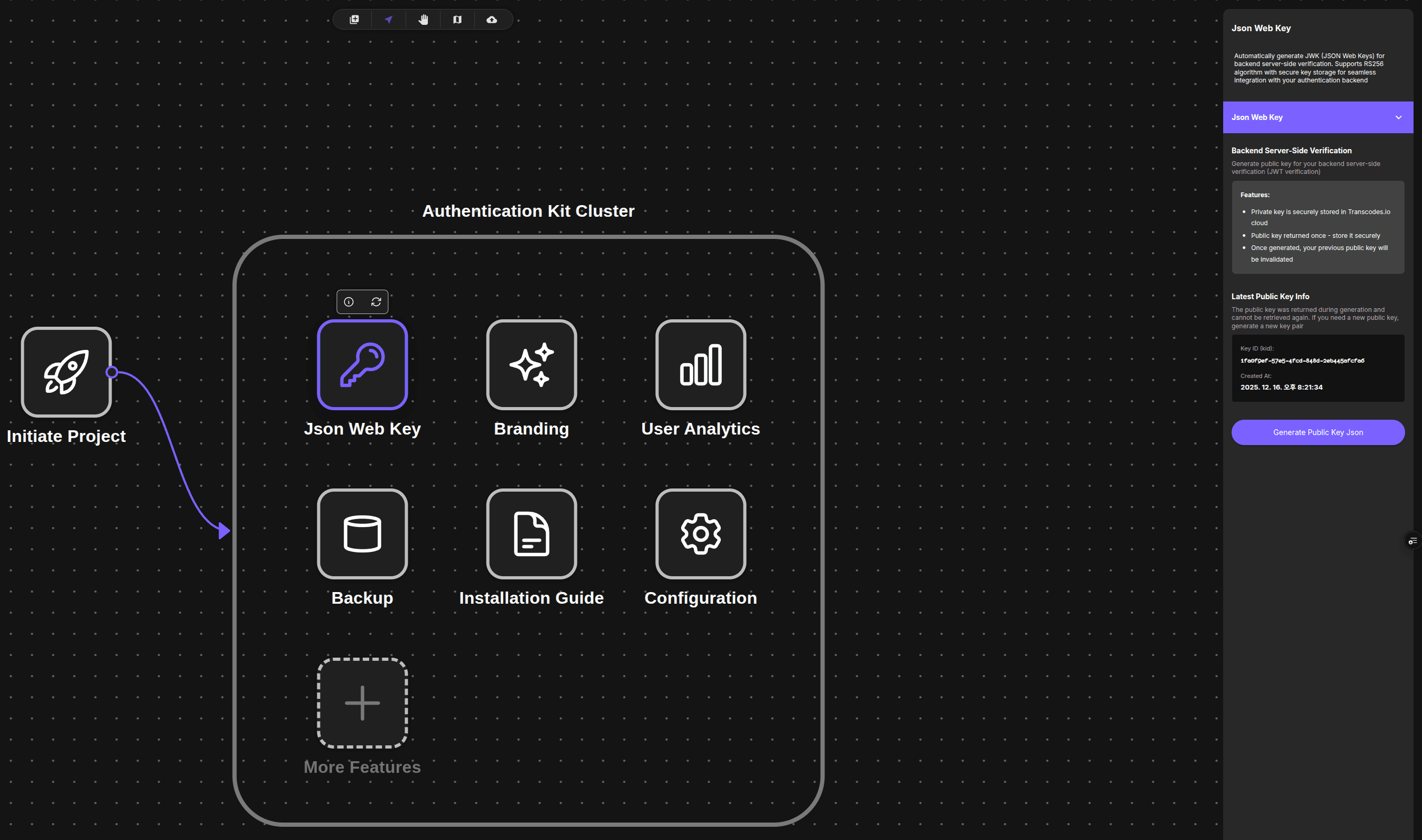
The JSON Web Key panel appears on the right with a purple “Json Web Key” accordion section
Generating a Public Key
The JSON Web Key panel contains fields for generating and viewing your public key information
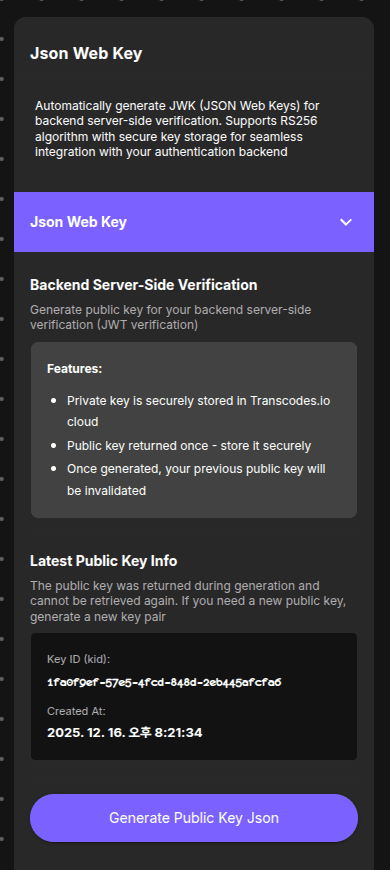
The panel shows:
- Backend Server-Side Verification: Description of public key purpose
- Features: Security information about key storage and invalidation
- Latest Public Key Info: Key ID (kid) and creation timestamp
- Generate Public Key JSON button
1. View Existing Key Info
The Latest Public Key Info section displays:
- Key ID (kid): Unique identifier (e.g.,
1fdef9ef-57e5-4fcd-84bd-2eb445efcf66) - Created At: Generation timestamp (e.g.,
2025-12-16T20:21:34Z)
The public key content cannot be retrieved again. It was shown only once during generation
2. Generate New Key
To generate a new key:
- Click the Generate Public Key JSON button
- If a key exists, confirm you want to invalidate the previous key
- The public key appears in JSON format
- Copy or download the key immediately
Generating a new key invalidates your previous public key. Update your backend before generating a new key
Server-Side Verification
Never trust client-side token validation alone. Always verify tokens on your server using the public key from the JSON Web Key panel
Verification Checklist
When verifying JWT tokens from Transcodes:
| Check | What to Verify |
|---|---|
| Signature | Validate using Transcodes public key (ES256) |
Issuer (iss) | Must be <YOUR_API_URL> |
Audience (aud) | Must match your Project ID |
Expiration (exp) | Must be in the future |
Example (Node.js)
const jwt = require('jsonwebtoken');

const decoded = jwt.verify(token, TRANSCODES_PUBLIC_KEY, {
  algorithms: ['ES256'],
  issuer: '<YOUR_API_URL>',
  audience: 'YOUR_PROJECT_ID',
});
Transcodes uses ES256 (ECDSA with P-256 curve) for JWT signing. The public key is an EC key in JWK format. ES256 offers equivalent security to RSA-2048 with smaller key sizes and faster verification
What to do next?
After setting up JWK verification:
- Configure token expiration settings
- Monitor user authentication activity
- Review Security for security best practices
- Explore Token API documentation